
Setting up an integration, embedding a consent banner script, or following a Secure Privacy help article — and suddenly everything asks for a Domain ID you can't find? You're not alone. The Domain ID is a unique identifier assigned to each website you manage inside Secure Privacy, and it's referenced throughout our documentation, API guides, and advanced configuration workflows. Without it, integrations stall and custom implementations can't connect to the right consent configuration.
Generic cookie consent plugins and manual script setups don't have this concept at all — which means when you move to a proper consent management platform like Secure Privacy, the Domain ID is a new piece of the puzzle. The good news: it takes about fifteen seconds to find once you know where to look.
This guide shows you exactly where your Domain ID lives in the Secure Privacy dashboard, how to copy it, and where you'll typically use it.
Who Is This For?
This article is for anyone using Secure Privacy who needs to:
Connect a third-party integration that requires a Domain ID
Make API calls scoped to a specific domain in their account
Follow a Secure Privacy setup guide that references the Domain ID
Troubleshoot a consent banner that isn't loading on the correct domain
What Is a Domain ID?
Every website (domain) you add to your Secure Privacy account is assigned a unique Domain ID — a short alphanumeric string that identifies that specific domain's consent configuration within the platform. It is distinct from your account ID and is scoped to a single domain, so if you manage multiple websites you will have a separate Domain ID for each one.
The Domain ID is used in contexts such as:
API requests that read or write consent data for a specific domain
Custom script implementations referencing a domain's consent settings
Integration configurations (e.g., Google Tag Manager, Tealium, or other platforms)
Support requests when our team needs to locate your domain configuration
How to Find Your Domain ID
Step 1 — Log in to your Secure Privacy account
Go to secureprivacy.ai and click the "Sign in" link in the top navigation bar, use your credentials. You will land on the main dashboard.

Step 2 — Open Domain Settings for the relevant website
In the left-hand navigation, click Websites (or select your domain from the account switcher at the top of the sidebar if you manage multiple sites). This opens the domain overview for that website.
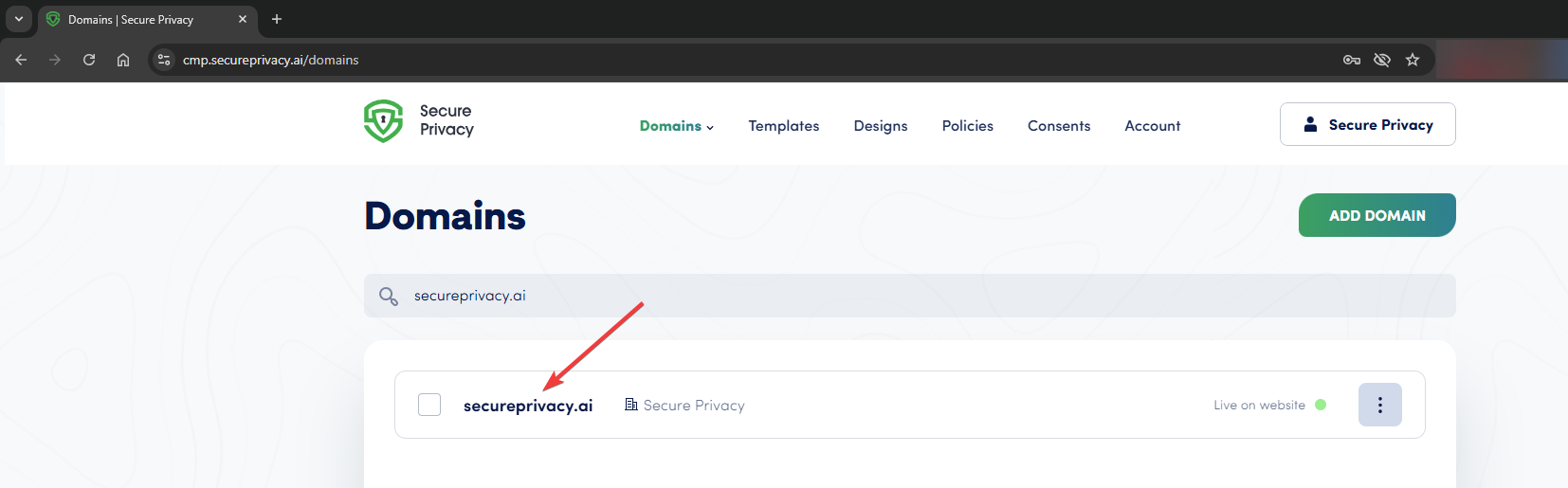
The Websites section lists all domains in your account.
Step 3 — Navigate to Domain Settings
With the correct domain selected, click Installation in the domain-level navigation. This opens the domain configuration panel.
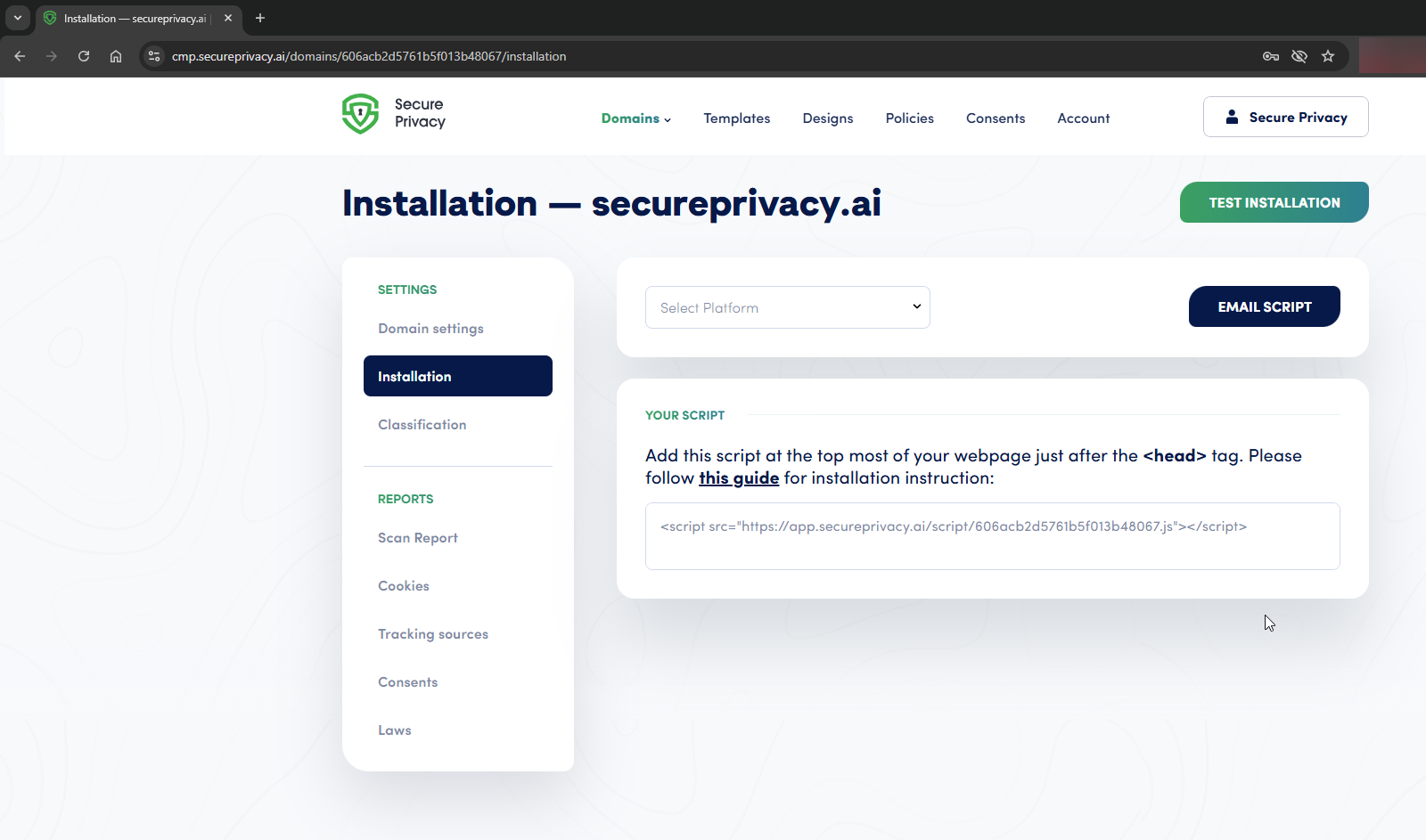
Click Settings in the domain navigation to open domain configuration.
Step 4 — Locate and copy your Domain ID
In the Domain Settings panel, your Domain ID is displayed in the URL (see screenshot).
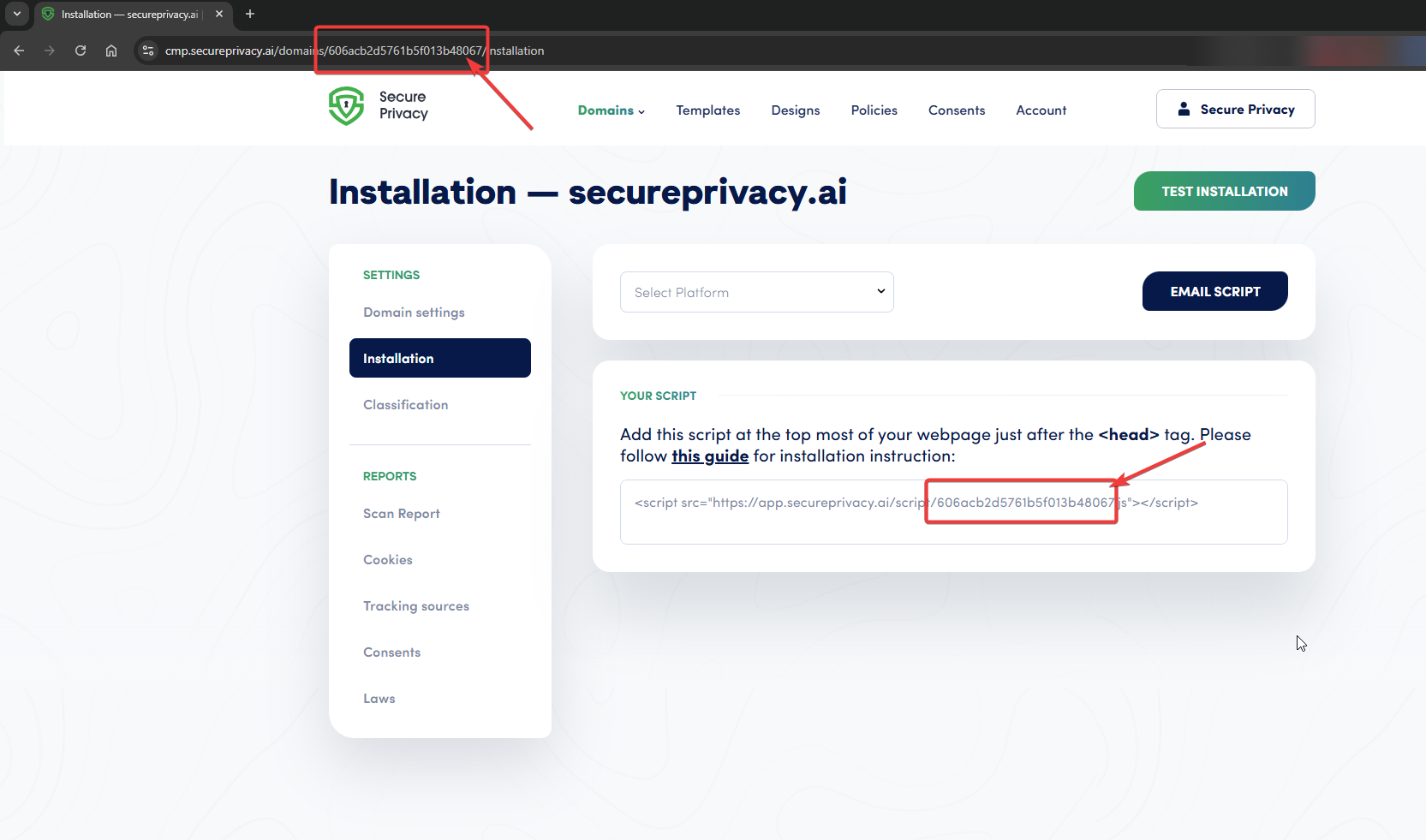
Alternatively, Domain ID is "included" into the installation script URL - click the script link to add it to your clipboard, paste it into notepad and fetch the numeric domain ID, for example, for this script URL -
<script src="https://app.secureprivacy.ai/script/606acb2d5761b5f013b48067.js"></script>the domain ID would be
606acb2d5761b5f013b48067What to Do With Your Domain ID
Once you have your Domain ID, here are the most common places you'll use it:
Google Tag Manager setup — Paste it into the Domain ID field when configuring the Secure Privacy tag in GTM. See how to install Secure Privacy via Google Tag Manager.
API integrations — Include it as the
domain_idparameter in API requests. See the Secure Privacy API overview[?] for full endpoint documentation.Custom script implementations — Reference it in any manual embed where the consent script requires a site or domain identifier.
Support requests — Sharing your Domain ID with our support team helps us locate your exact domain configuration quickly.
Troubleshooting
I can't see a Domain ID in my settings
Make sure you have selected a specific domain before opening Settings — the Domain ID field only appears at the domain level, not on the top-level account overview. If you manage multiple sites, check that you've selected the correct one from the domain switcher.
I have multiple domains — which ID do I use?
Each domain has its own Domain ID. Use the ID that corresponds to the specific website you are configuring. If you're unsure which domain a script or integration should point to, match the Domain ID to the domain URL shown in the Websites list.
My integration says the Domain ID is invalid
Double-check that you copied the full value with no leading or trailing spaces. Some copy operations pick up an invisible whitespace character — pasting into a plain-text editor first and then re-copying can resolve this. If the problem persists, contact Secure Privacy support[?] with your Domain ID and a description of the integration you're configuring.
Frequently Asked Questions
Where do I find my Domain ID in Secure Privacy?
Log in to your Secure Privacy account, select the relevant domain, and navigate to Settings. Your Domain ID is displayed near the top of the Domain Settings page. Click the copy icon to copy it to your clipboard.
What is the Domain ID used for in Secure Privacy?
The Domain ID uniquely identifies a specific website within your Secure Privacy account. It is used in API calls, custom script embeds, third-party integrations (such as Google Tag Manager), and when contacting support so the team can locate your domain configuration.
Is the Domain ID the same as my account ID?
No. Your account ID identifies your Secure Privacy account as a whole, while the Domain ID is scoped to a specific website within that account. If you manage multiple domains, each one has its own unique Domain ID.
Can I have multiple Domain IDs on one account?
Yes. Every domain (website) you add to your Secure Privacy account receives its own Domain ID. You can view all your domains from the Websites section of the dashboard and find each domain's ID in its individual Settings page.
Do I need a Domain ID to install Secure Privacy on my website?
For most standard CMS installations (WordPress, Shopify, Wix, etc.), the Secure Privacy plugin or embed snippet handles domain identification automatically. The Domain ID is typically needed for manual script implementations, API integrations, and advanced configurations such as cross-domain consent sharing.