
Summary: This guide walks you through how to display your company logo in the Secure Privacy Preference Center, creating a more consistent, on-brand consent experience for your website visitors. The logo shown in the Preference Center is the same one configured under your global Secure Privacy account settings.
Who Is This Guide For?
Website owners and marketers who want a branded consent Preference Center that reflects their company identity
Designers and developers configuring the visual appearance of Secure Privacy's CMP for a specific domain
Compliance managers ensuring the Preference Center presents a trustworthy, professional user interface
How to Display Your Logo in the Secure Privacy Preference Center
-
Log In to Your Secure Privacy CMP Dashboard
Begin by logging in to your Secure Privacy CMP dashboard. -
Navigate to the Designs Tab
Once logged in, go to the Designs tab in your dashboard navigation.
Navigate to the Designs tab in your Secure Privacy CMP dashboard. -
Select the Design You Want to Modify
Click on the specific design you wish to update. This is typically the design associated with your domain. -
Open Preference Center Settings
Within your selected design, navigate to the Preference Center settings section. -
Enable the "Display Header Logo" Toggle
Locate the toggle labeled "Display Header Logo" and enable it to activate your company logo in the Preference Center header.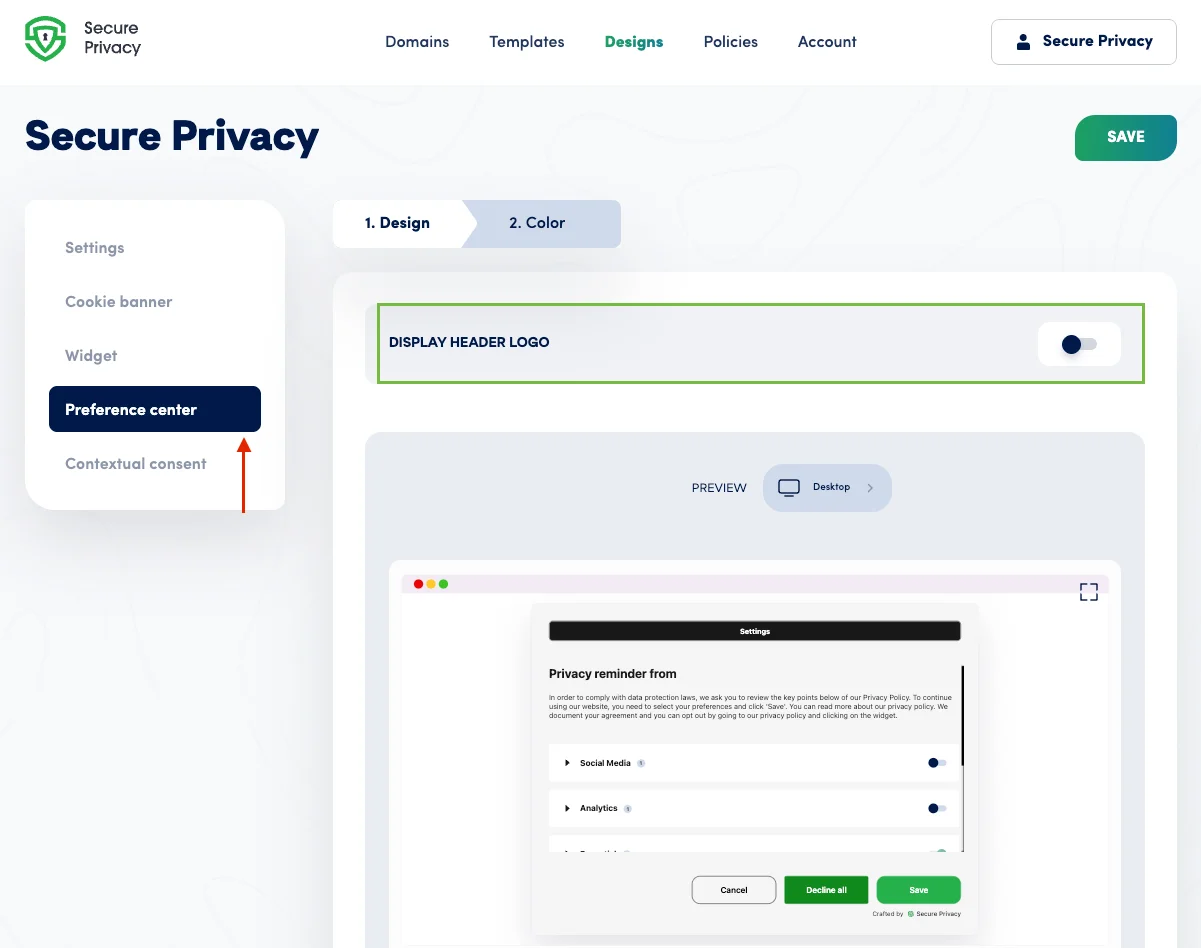
Enable the "Display Header Logo" toggle in Preference Center settings to show your brand logo.
Frequently Asked Questions (FAQ)
Where does the Preference Center logo come from?
The logo displayed in your Preference Center is pulled from the logo you have already uploaded under the Settings tab of your Secure Privacy account. You cannot set a separate logo for the Preference Center alone—it uses your global account logo.
What if I haven't uploaded a logo yet?
You'll need to upload your company logo first via the Upload Custom Logo guide in your Secure Privacy settings before the Display Header Logo toggle will show anything.
Can I show different logos on different domains?
Each design in Secure Privacy is associated with a specific domain. If you have separate designs per domain, the logo displayed will follow whichever logo is set at the account level. Contact [email protected] if you need per-domain logo customization guidance.
Will enabling the logo affect my cookie banner as well?
No. The "Display Header Logo" toggle only applies to the Preference Center. Cookie banner appearance is managed separately within the Cookie Banner section of your design settings.