
The Consent Dashboard in Secure Privacy gives you a centralized view of all visitor consent records for your domain — including accepted, declined, and partial consents, per-category consent details, location and device data, and the ability to export consent records to CSV. This guide explains every feature on the dashboard and how to use it for GDPR accountability and consent analysis.
Who Is This For?
Compliance officers reviewing consent records and maintaining GDPR accountability documentation
Website administrators monitoring consent acceptance rates and analyzing visitor consent trends
Legal and privacy teams exporting consent data for audits or regulatory submissions
How to Access the Consent Dashboard
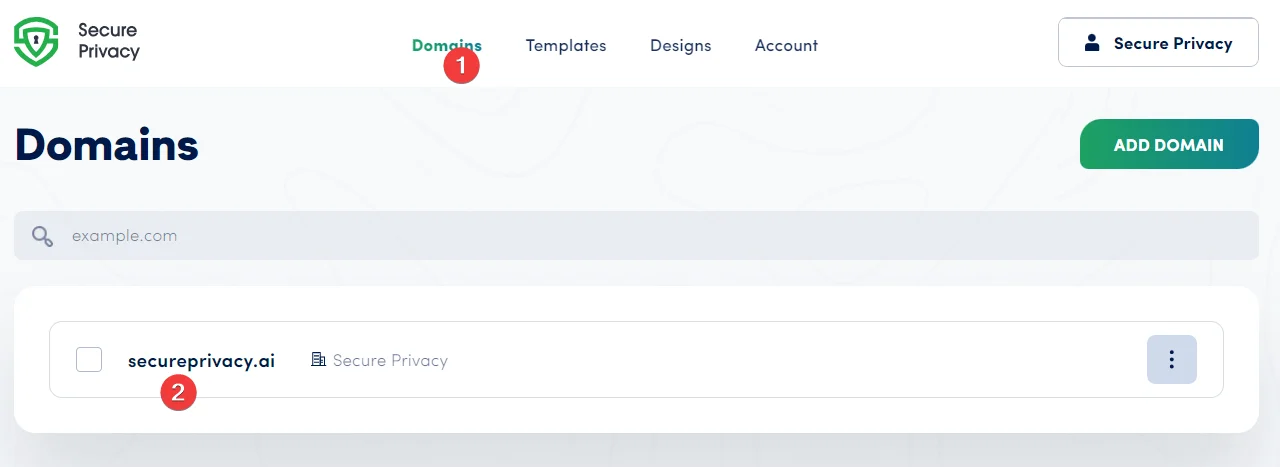
Log in to your Secure Privacy account, click Domains, and select the domain you want to review.
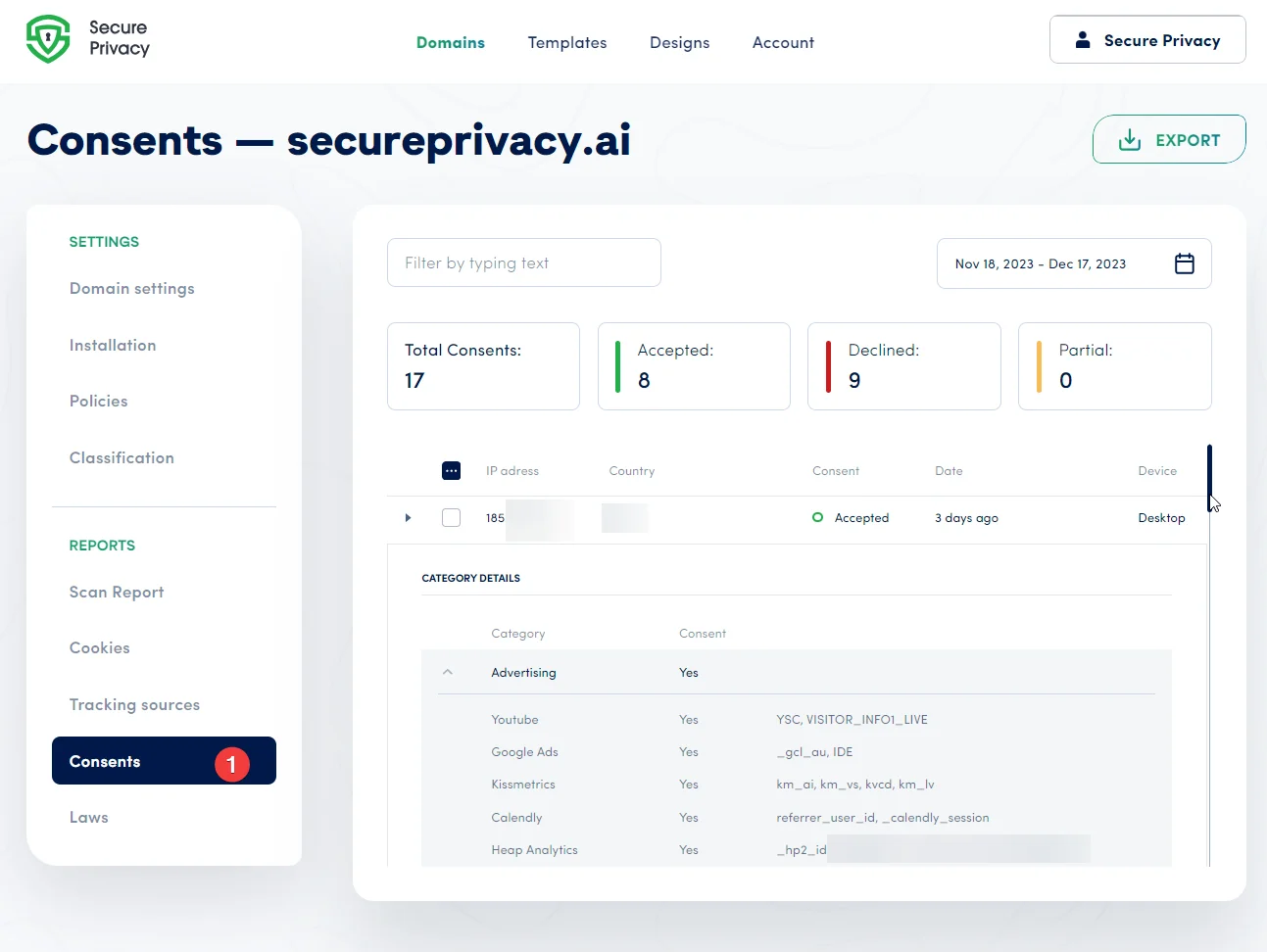
From the domain's home screen, click the Consent tab to open the Consent Dashboard.
Consent Dashboard Features
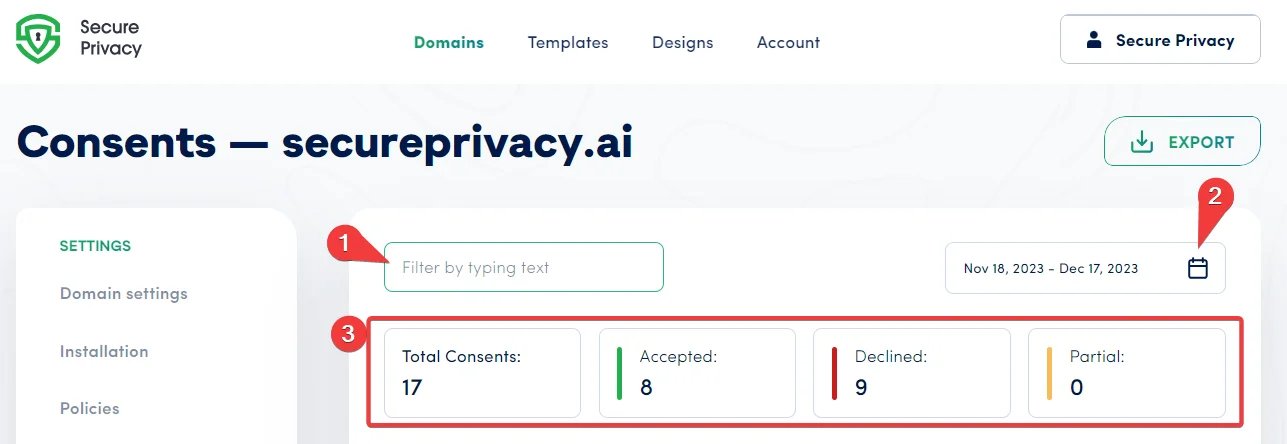
1. Filter by Text
Use the text filter to search for specific consent records. Enter keywords to instantly filter results — searchable fields include country and a partial anonymized IP address of the visitor. This is useful for quickly locating records from a specific region or verifying an individual consent interaction.
2. Date Range Filter
The date range filter defaults to the last 30 days. Available preset options include Today, Last 7 days, Last 30 days, This Year, and a Custom Range. Use date filtering to narrow down consent records to specific periods — for example, to analyze consent rates following a banner update or during a specific marketing campaign.
3. Total Consents Overview
The Total Consents row provides a high-level summary of visitor consent activity — showing the total number of Accepted, Declined, and Partial consent interactions for the selected date range. This snapshot gives you an immediate read on how visitors are responding to your cookie banner and data privacy policies.
4. Individual Consent Record Details
Click on any consent record in the list to view full details for that interaction. Individual consent records include:
IP Address (anonymized)
Country of the visitor
Consent status (Accepted, Declined, or Partial)
Date and time of consent
Device type used during the consent interaction
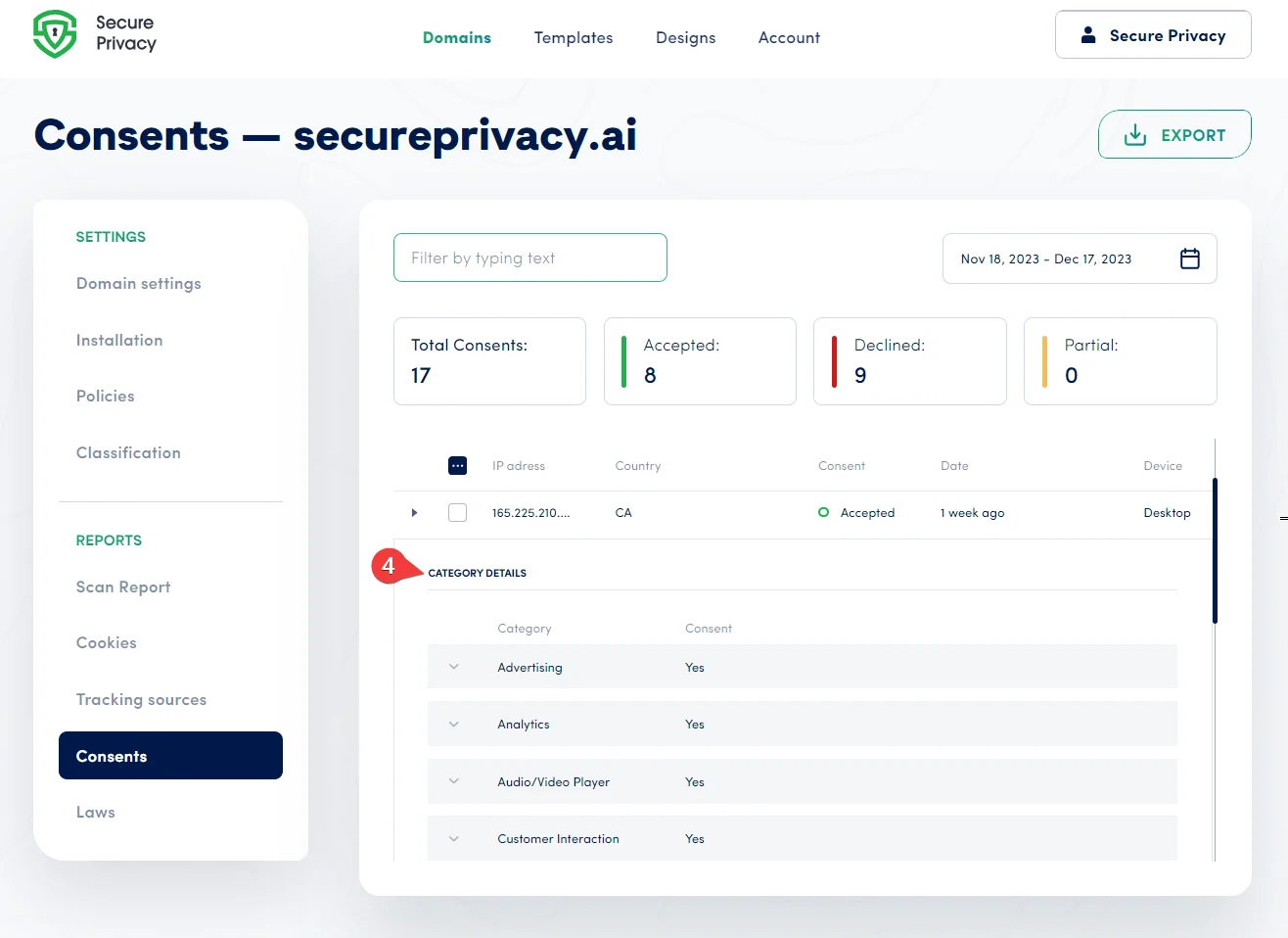
5. Per-Category Consent Details
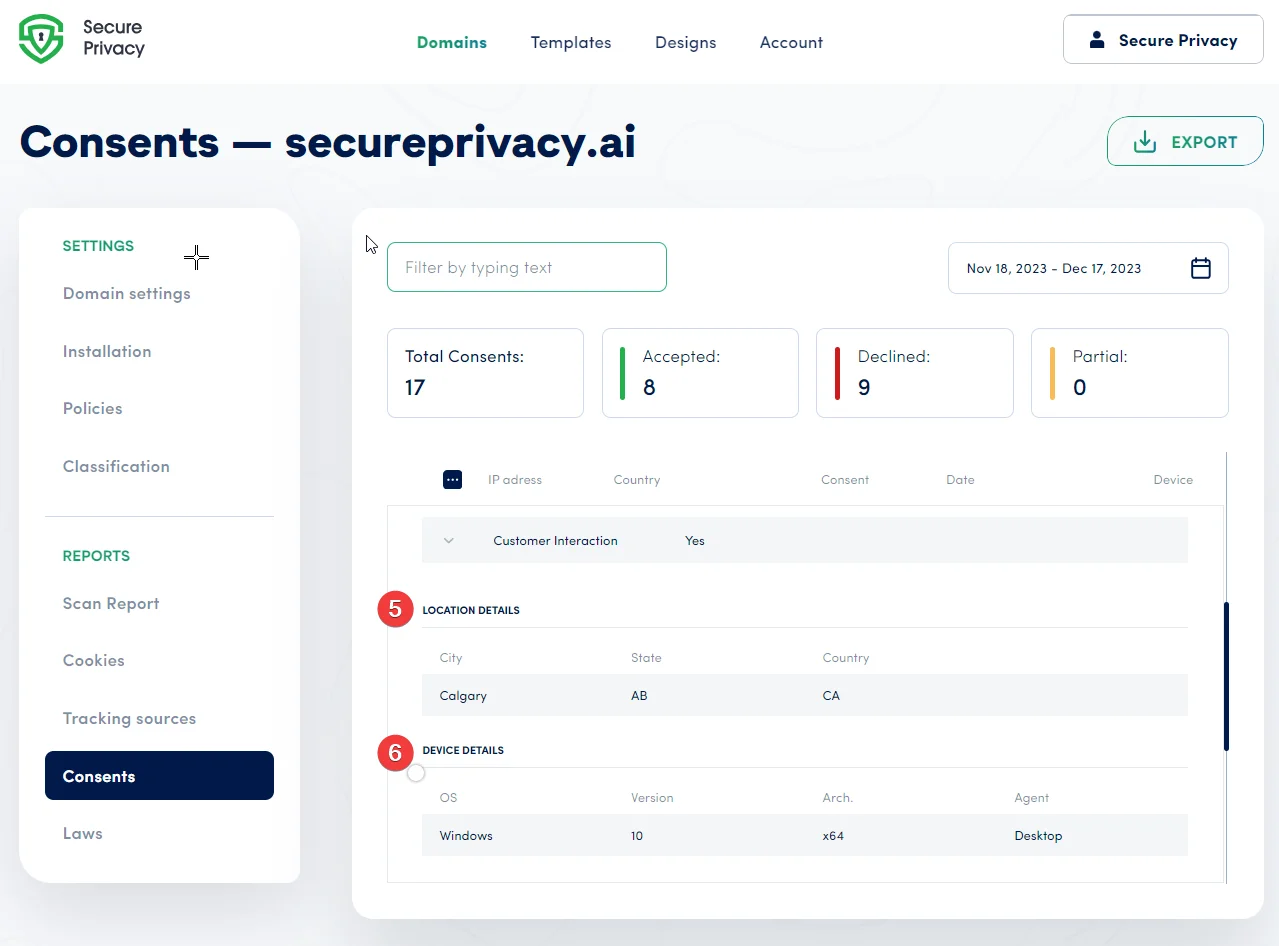
Each individual consent record shows which cookie categories the visitor accepted or declined — including Advertising, Analytics, Audio/Video Player, Customer Interaction, and others. Per-category data gives you a granular view of user preferences and helps identify which categories are most frequently declined — supporting more informed banner and policy decisions.
6. Location and Device Details
Within each consent record, Location Details shows the visitor's City, State, and Country. Device Details shows the Operating System version, system architecture, and device type. This data is useful for understanding regional consent patterns and optimizing your website or application for the devices and operating systems most commonly used by your audience.
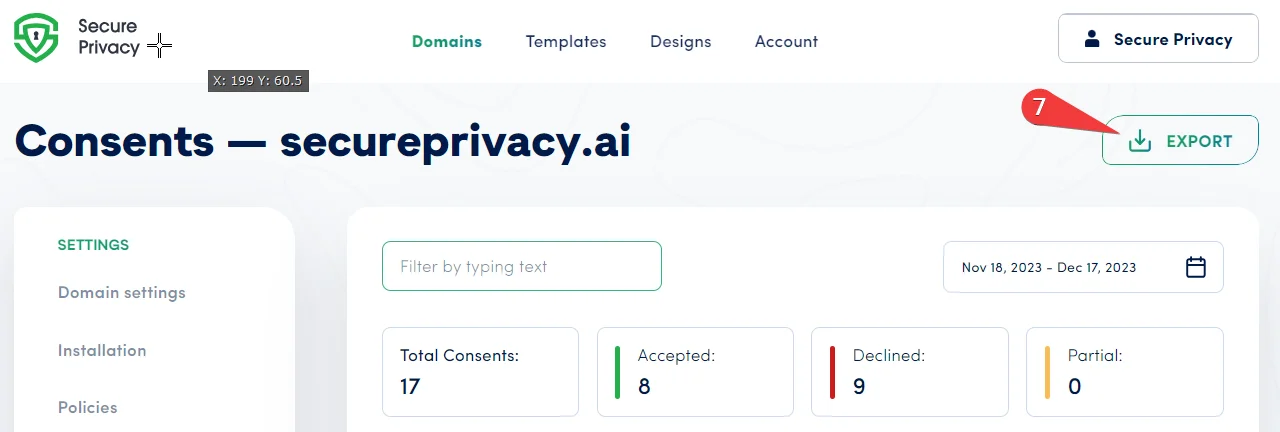
7. Export Consent Records to CSV
Click the Export button to export the full detailed consent dataset for the selected domain and date range to a CSV file. You will receive an email notification when the export is complete and ready to download. CSV exports are useful for compliance audits, regulatory submissions, internal reporting, and long-term record-keeping.
Frequently Asked Questions
How long are consent records stored in the Consent Dashboard?
Consent record retention depends on your Secure Privacy plan and data retention settings. Under GDPR, you are required to retain consent records for as long as the associated processing continues — and potentially longer for accountability purposes. Review your plan's data retention policy and configure retention periods under your domain settings. Contact [email protected] if you need guidance on your specific configuration.
What does "Partial" consent mean in the Total Consents count?
A partial consent indicates that the visitor accepted some cookie categories but declined others — for example, accepting Essential and Analytics cookies while declining Advertising and Social Media cookies. Partial consents are recorded with the full per-category breakdown visible in the individual consent record detail view.
Can I use exported consent records as proof of compliance for a regulatory audit?
Yes. The exported CSV contains timestamped, per-visitor consent records including consent status, category-level choices, IP address, country, and device data — providing auditable documentation that consent was obtained in accordance with GDPR's accountability requirements. For regulatory submissions, consult your legal team to confirm the export format meets the specific requirements of the relevant supervisory authority.