
Embedding your privacy policies directly on your website ensures visitors can access compliance information seamlessly — without leaving your site. Secure Privacy provides two straightforward embedding methods: embedding all policies at once from the Policies dashboard, or embedding individual policies on specific pages. This guide explains both options step by step.
Who Is This For?
Website administrators integrating Secure Privacy privacy policies into their site HTML
Compliance officers ensuring privacy and cookie policies are publicly accessible and embedded correctly
Developers implementing policy embeds across single-language or multilingual websites
Two Ways to Embed Your Policies
Method 1: Embed All Policies from the Policies Dashboard
Use this method to embed all your policies in one place — ideal for displaying a consolidated policy page on your website.
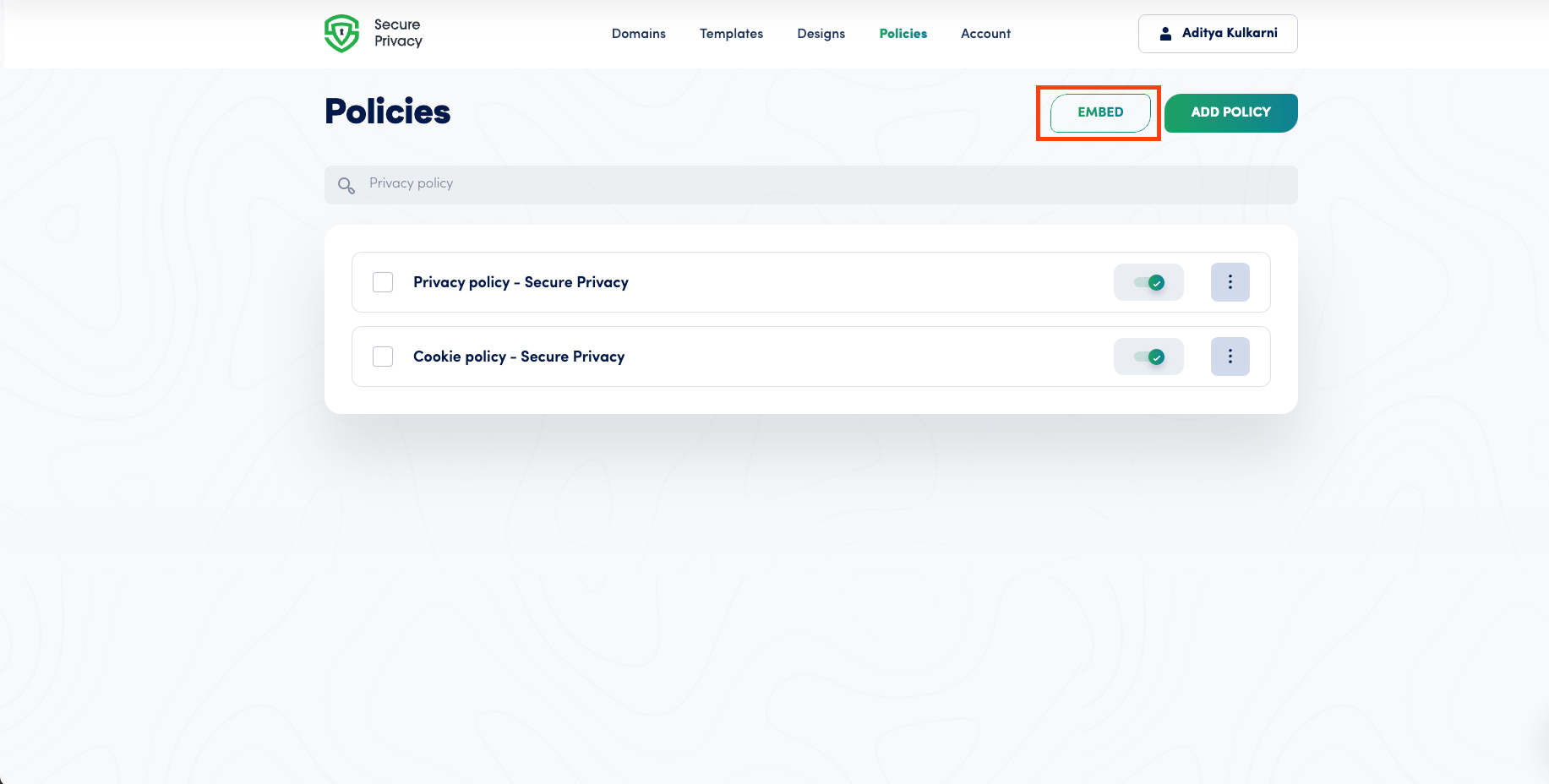
Log in to your Secure Privacy dashboard and navigate to the Policies section.
Click the Embed button.
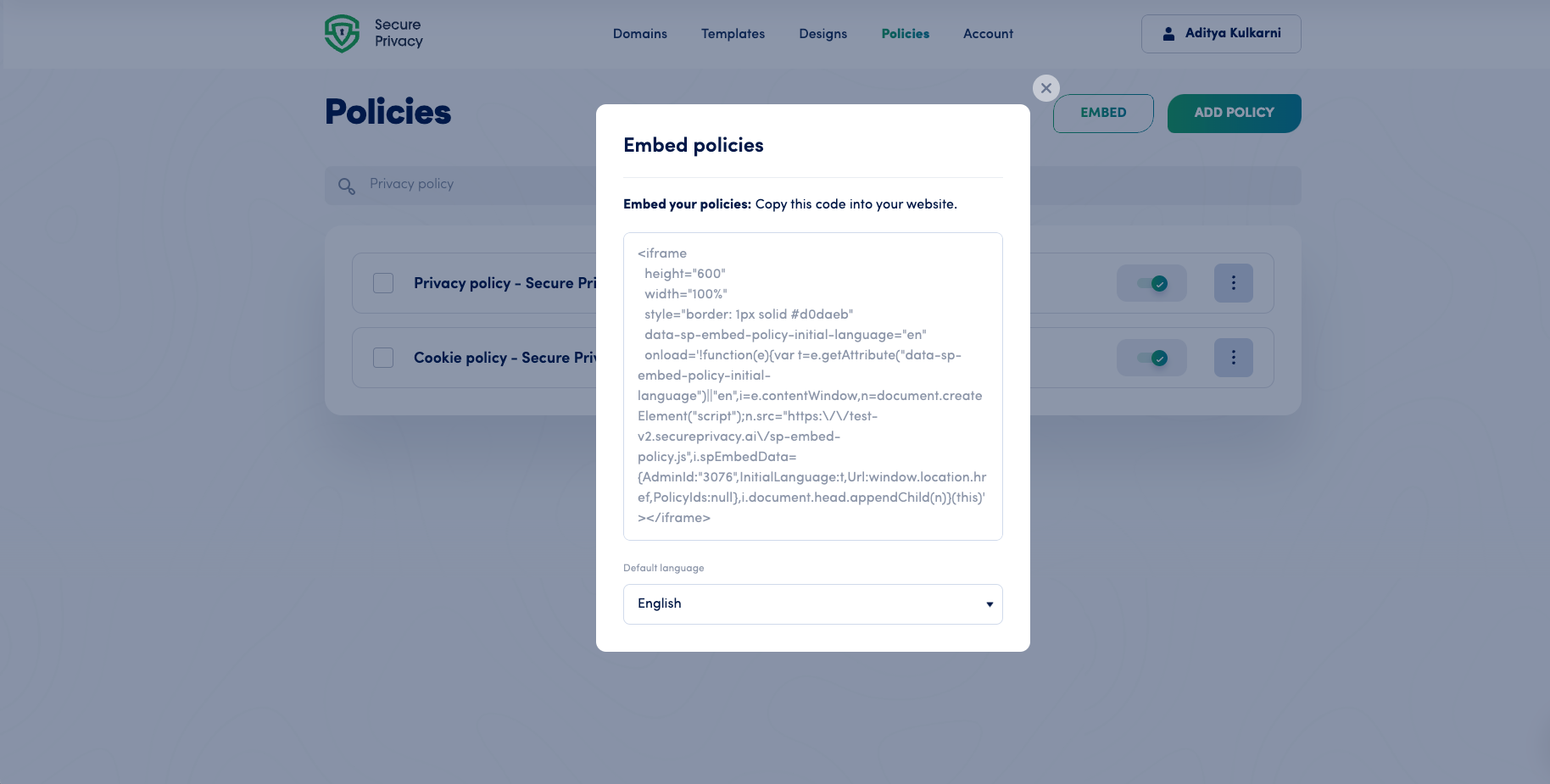
A popup will appear displaying the embed code for all your policies.
Select a default language for your policies if needed. Visitors will still be able to switch to their preferred language on your site.
Copy the embed code and paste it into the HTML of your webpage where you want the policies to appear.
Method 2: Embed Individual Policies on Specific Pages
Use this method to display different policies on different pages — for example, embedding only your cookie declaration on your cookie policy page.
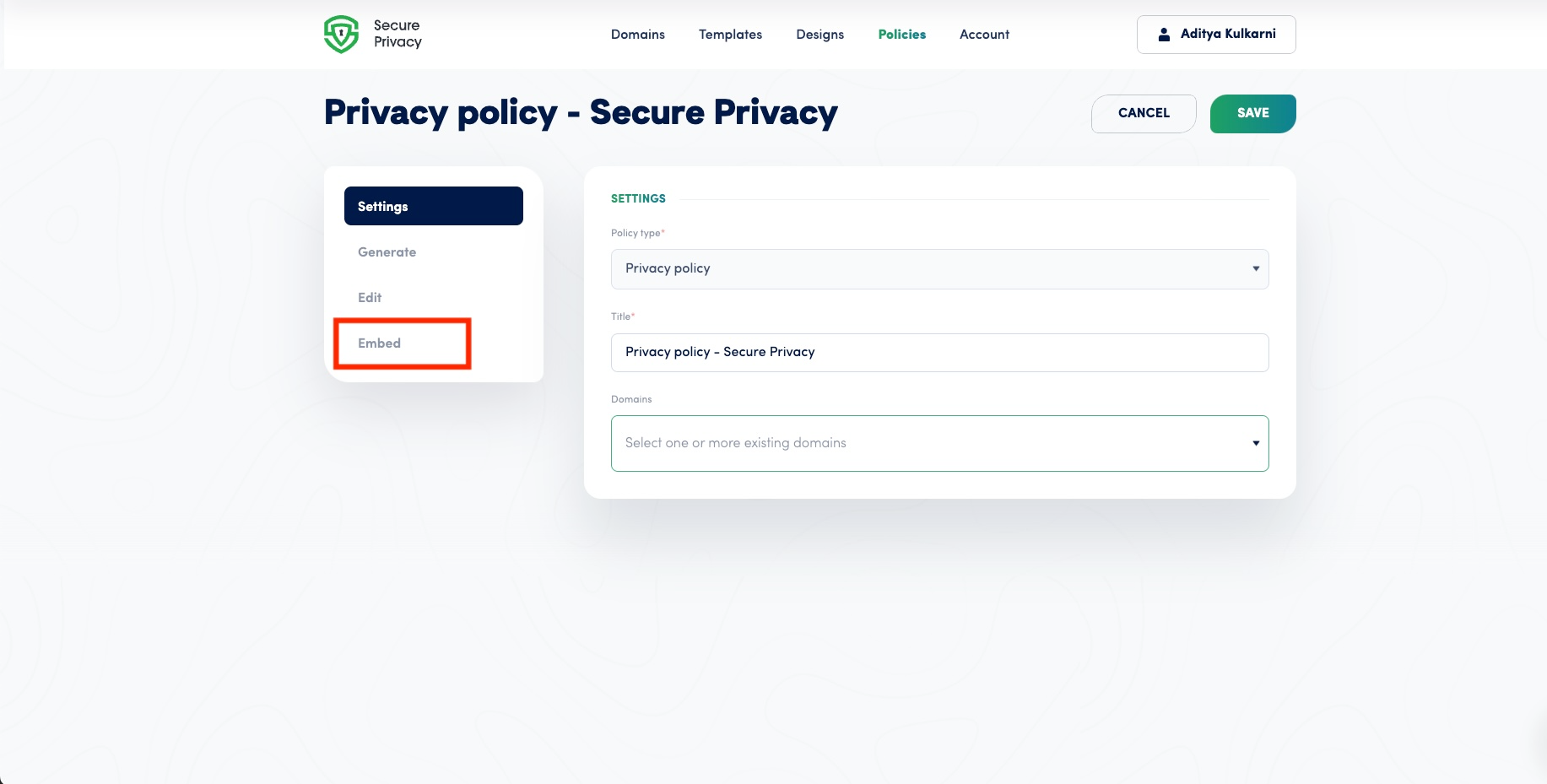
From the Policies dashboard, select the specific policy you want to embed.
Click Embed in the left sidebar of the policy's settings page.
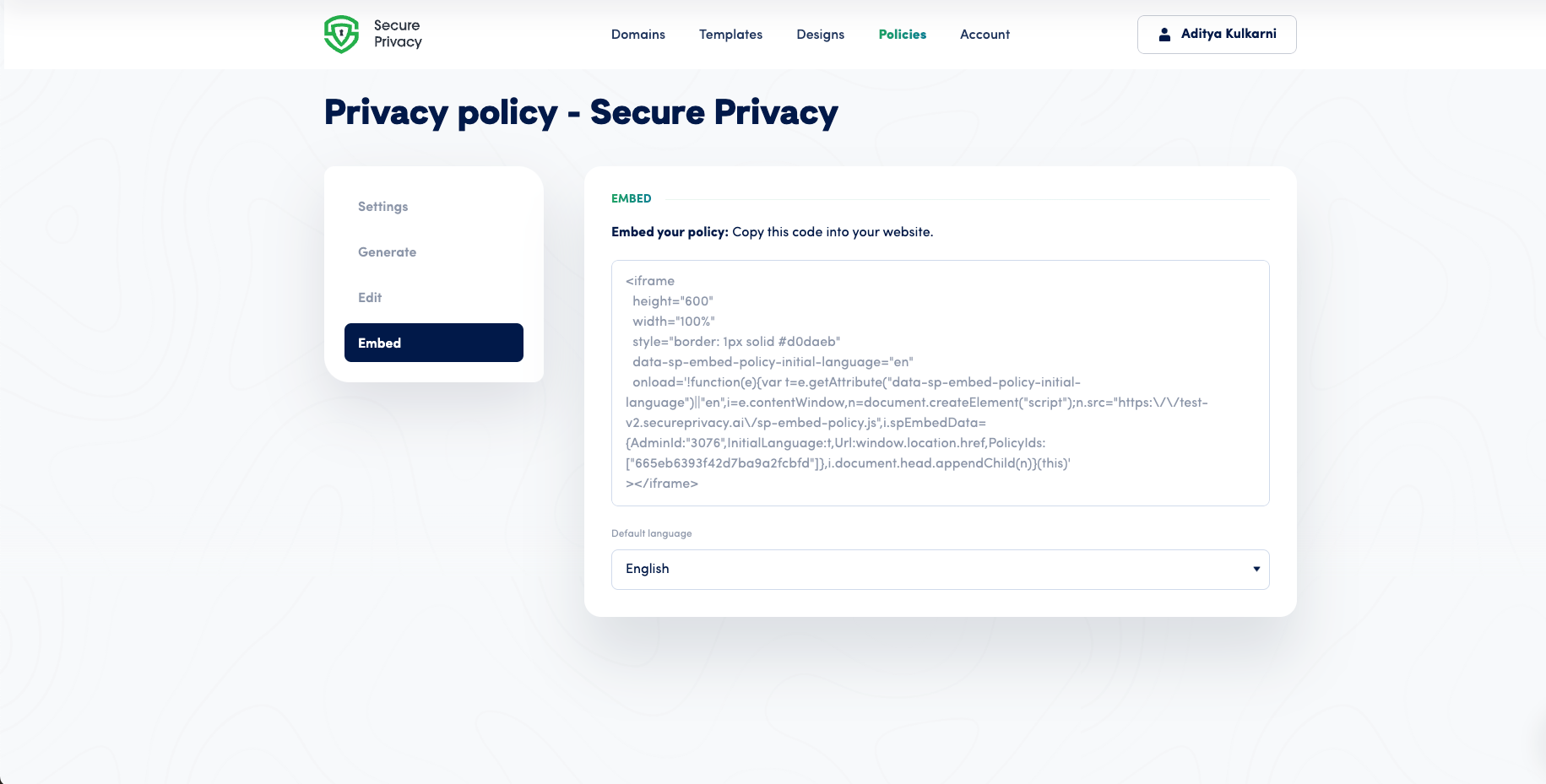
Copy the embed code provided.
Paste the code into your webpage's HTML at the position where you want the policy to display.
Select a default language if needed — particularly useful for multilingual websites.
Important Note
If your website already links directly to your policy pages hosted on Secure Privacy, embedding is optional — linked policies will automatically integrate within your Preference Center and remain accessible to visitors through the privacy widget without requiring additional embed code.
Frequently Asked Questions
My embedded policy is not displaying on the page — what should I check?
Verify that the embed code has been placed correctly within the <body> section of your webpage HTML — not in the <head>. After confirming placement, clear your browser cache and your website's server or CDN cache, then reload the page in an incognito window to check whether the policy appears.
The language settings are not applying correctly — how do I fix this?
Confirm that you have selected the correct default language in the embed popup before copying the code. Also check the visitor's browser language settings — Secure Privacy displays the policy in the visitor's browser language by default where a matching translation is available. If the wrong language is still showing, re-generate the embed code with the correct default language selected and replace the existing embed code on your page.
Can I embed the same policy on multiple pages?
Yes. Copy the individual policy embed code and paste it into the HTML of as many pages as needed. The same embed code can be reused across multiple pages without any configuration changes.